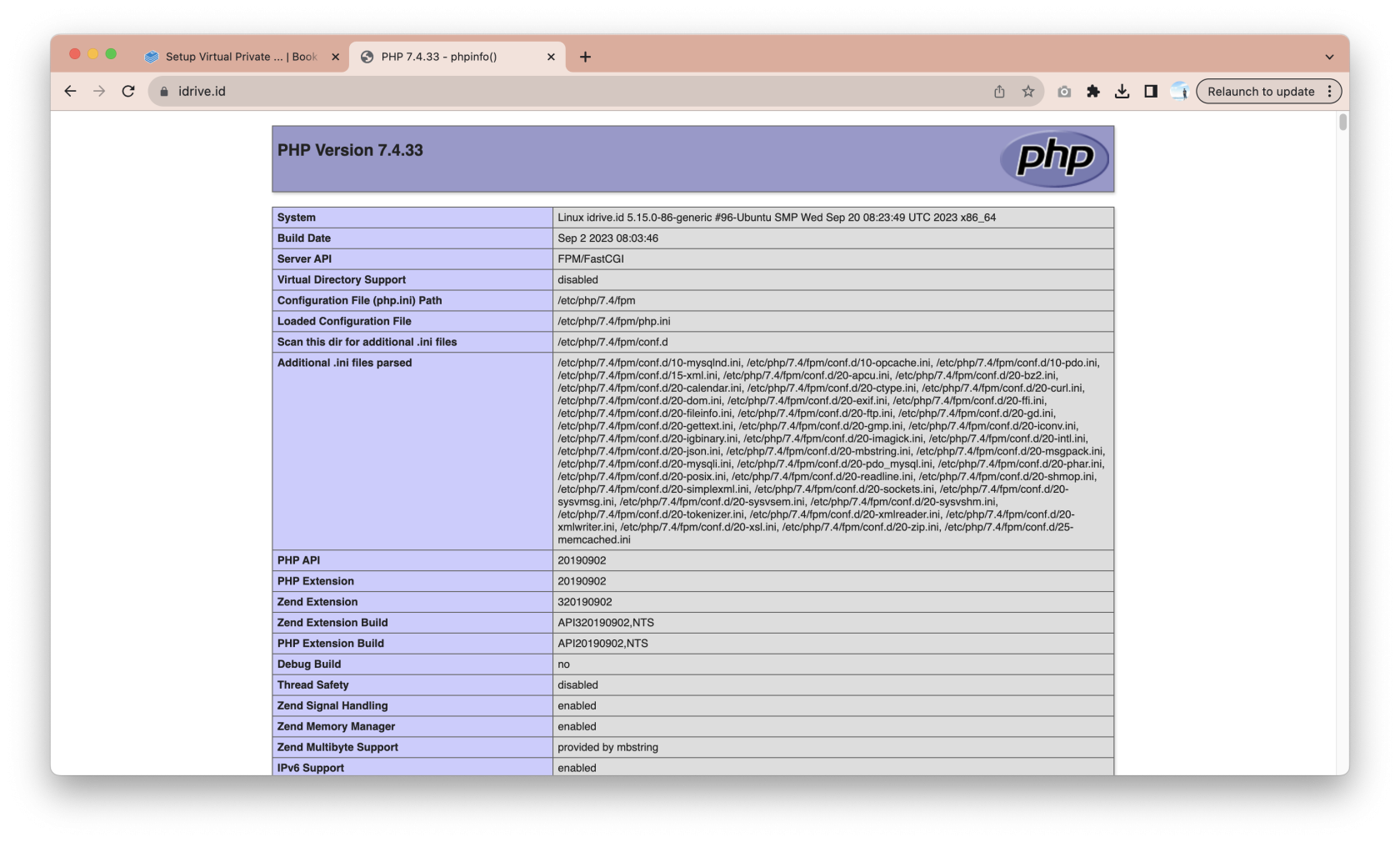
# 08. Multiple versi PHP-FPM pada Nginx Virtual Host

### Login VPS dan Lihat Nginx Config

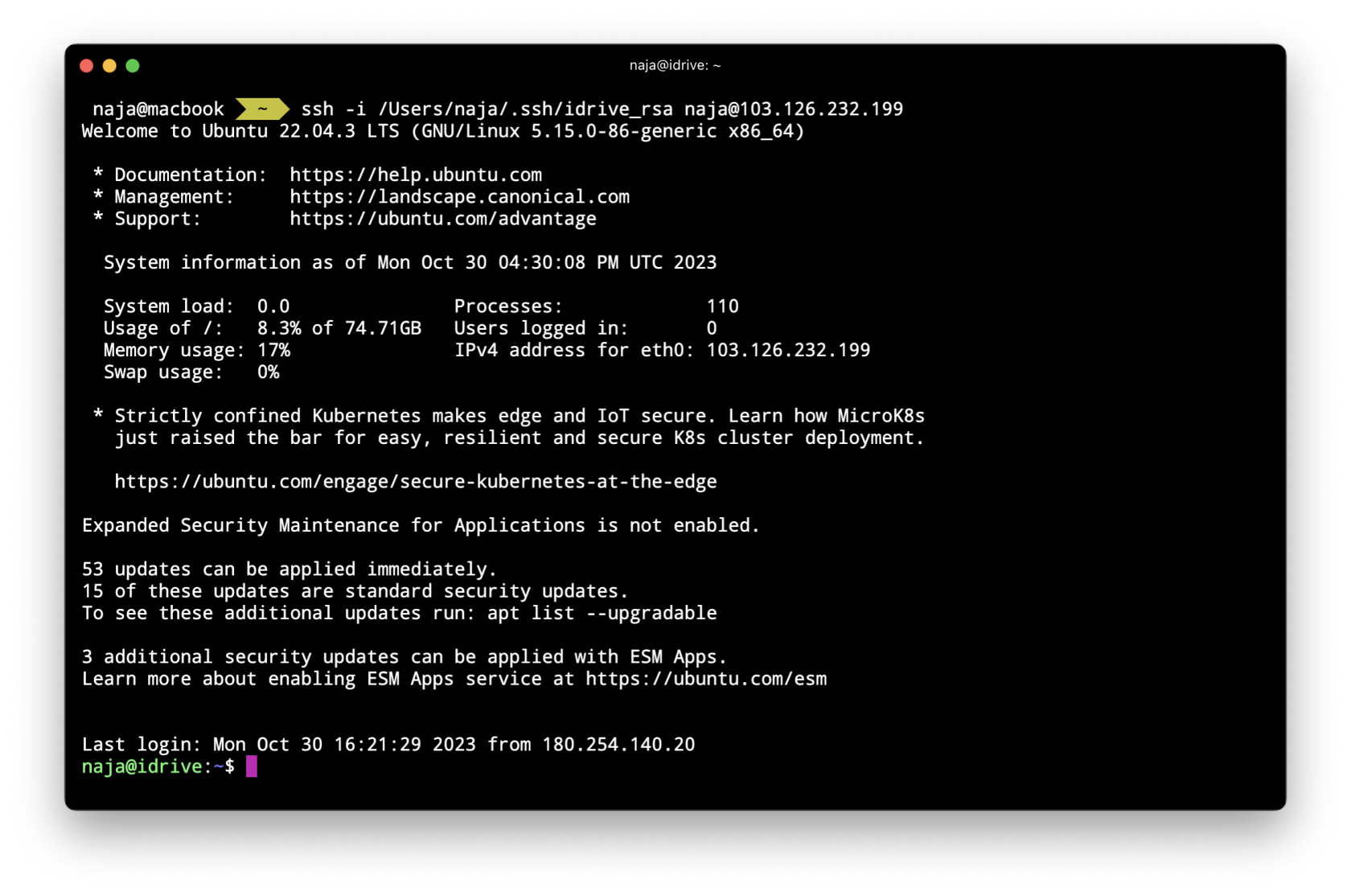
Login ke vps dengan ssh menggunakan ssh public key

[![Screenshot 2023-10-31 at 00.30.11.png](https://book.najamudinridha.com/uploads/images/gallery/2023-10/scaled-1680-/screenshot-2023-10-31-at-00-30-11.png)](https://book.najamudinridha.com/uploads/images/gallery/2023-10/screenshot-2023-10-31-at-00-30-11.png)
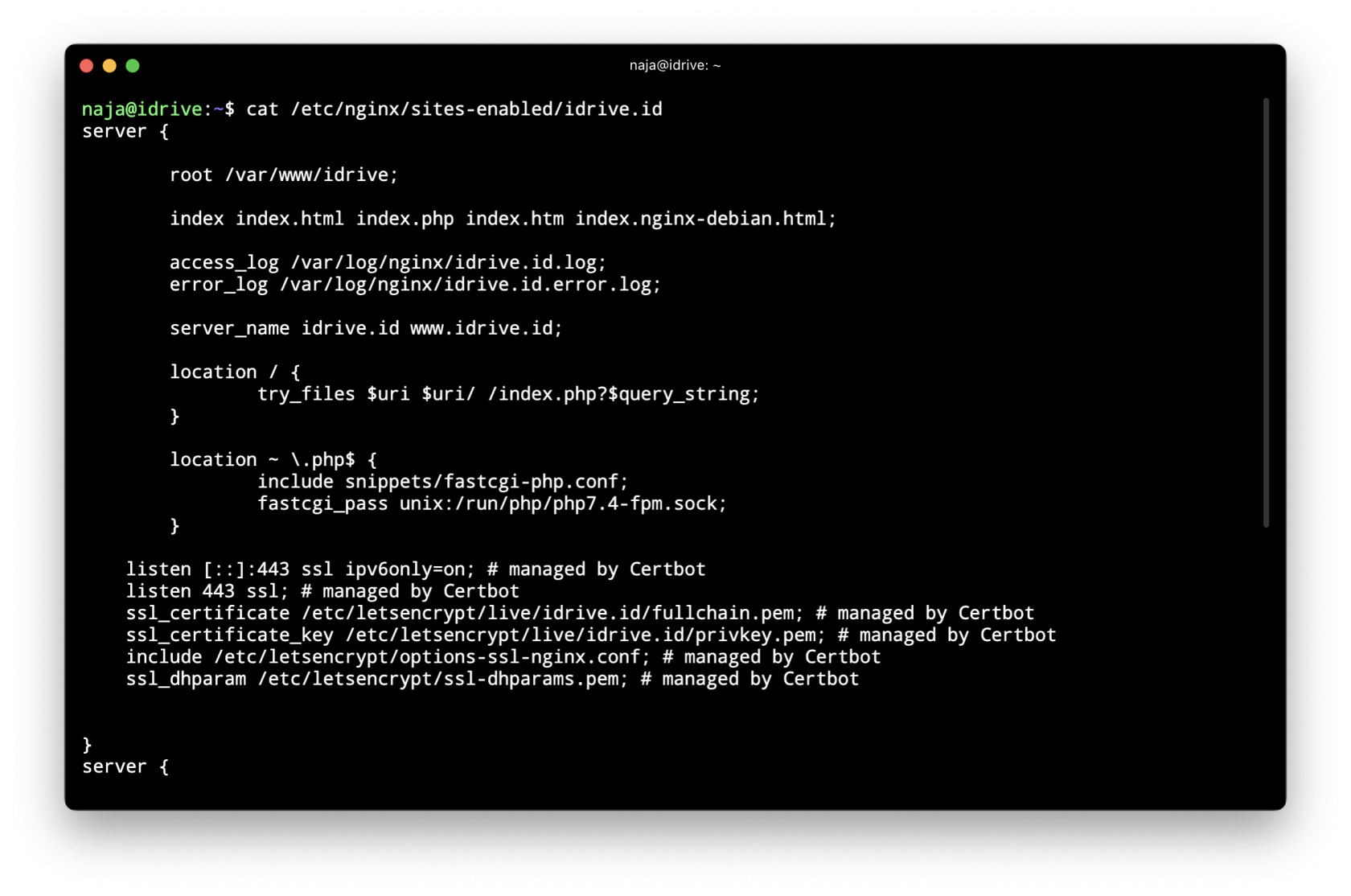
kemudian kita lihat configurasi nginx kita sebelumnya

```bash
cat /etc/nginx/sites-enabled/idrive.id
```

[![Screenshot 2023-10-31 at 00.30.58.png](https://book.najamudinridha.com/uploads/images/gallery/2023-10/scaled-1680-/screenshot-2023-10-31-at-00-30-58.png)](https://book.najamudinridha.com/uploads/images/gallery/2023-10/screenshot-2023-10-31-at-00-30-58.png)
### Membuat Folder untuk Sub Directory Backend

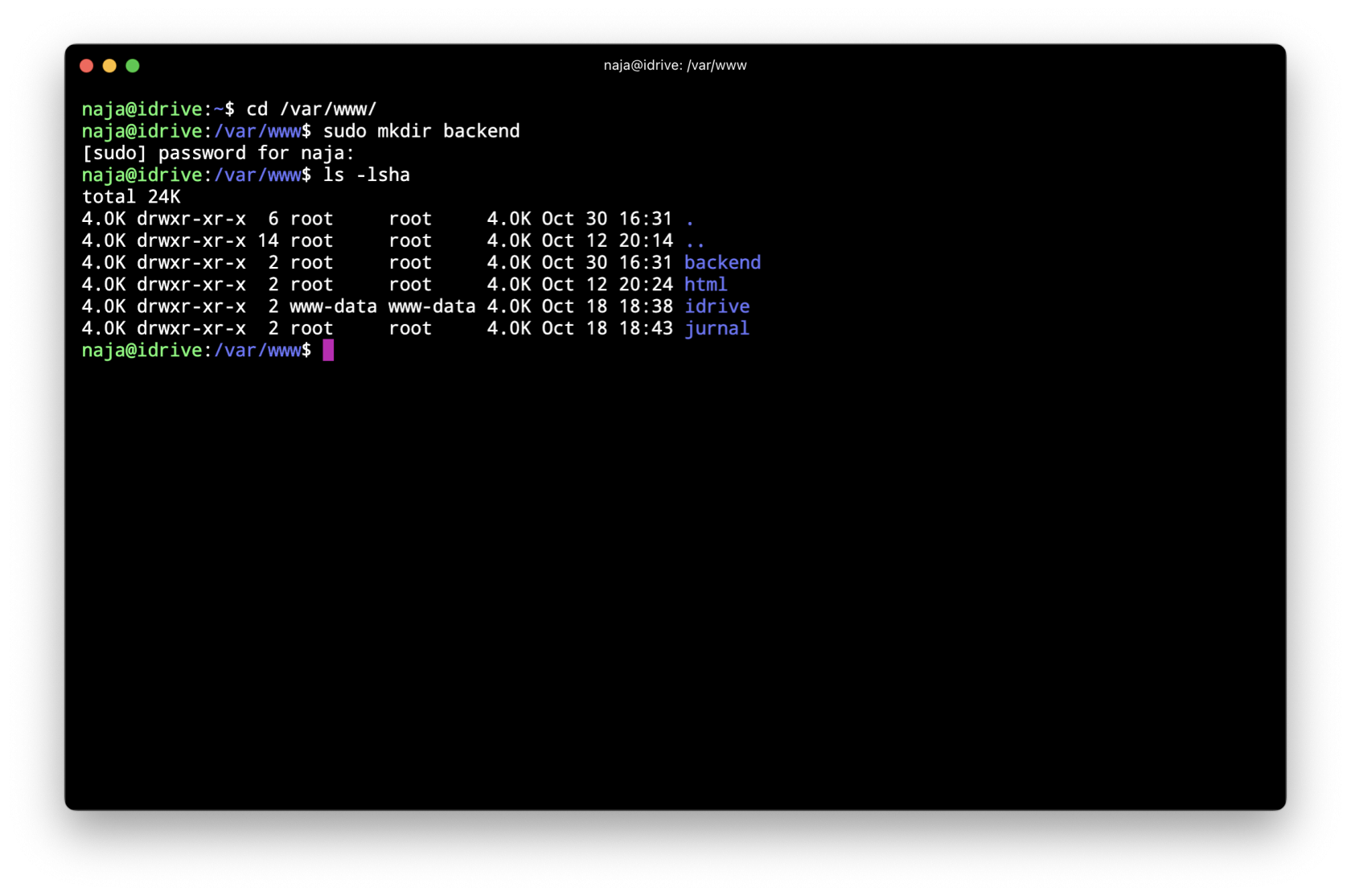
untuk membuat root directory untuk sub directory pada domain, kita buat terlebih dahulu folder dan file index.php untuk testing, jalankan perintah berikut

```bash
# pindah direktory
cd /var/www/

# membuat folder baru 
sudo mkdir backend
```

[![Screenshot 2023-10-31 at 00.32.02.png](https://book.najamudinridha.com/uploads/images/gallery/2023-10/scaled-1680-/screenshot-2023-10-31-at-00-32-02.png)](https://book.najamudinridha.com/uploads/images/gallery/2023-10/screenshot-2023-10-31-at-00-32-02.png)
buat file `index.php` dengan perintah `sudo nano index.php` kemudian enter dan isi dengan kode berikut :

```bash
<?php

echo phpinfo();
```

[![Screenshot 2023-10-31 at 00.32.43.png](https://book.najamudinridha.com/uploads/images/gallery/2023-10/scaled-1680-/screenshot-2023-10-31-at-00-32-43.png)](https://book.najamudinridha.com/uploads/images/gallery/2023-10/screenshot-2023-10-31-at-00-32-43.png)

### Membuat Location Backend di Nginx VirtualHost 

edit file nginx virtualhost dengan pindah ke directory nginx confignya dengan perintah `cd /etc/nginx/sites-available/` dan kemudian edit file `idrive.id` dengan perintah `sudo nano idrive.id` kemudian enter

[![Screenshot 2023-10-31 at 00.34.23.png](https://book.najamudinridha.com/uploads/images/gallery/2023-10/scaled-1680-/screenshot-2023-10-31-at-00-34-23.png)](https://book.najamudinridha.com/uploads/images/gallery/2023-10/screenshot-2023-10-31-at-00-34-23.png)

tambahkan konfigurasi berikut

```nginx
        location /backend {
             root /var/www/;
             try_files $uri $uri/ =404;

             location ~ ^/backend/(.+\.php)$ {
                include snippets/fastcgi-php.conf;
                fastcgi_pass unix:/run/php/php8.1-fpm.sock;
             }
        }
```

[![Screenshot 2023-10-31 at 00.38.56.png](https://book.najamudinridha.com/uploads/images/gallery/2023-10/scaled-1680-/screenshot-2023-10-31-at-00-38-56.png)](https://book.najamudinridha.com/uploads/images/gallery/2023-10/screenshot-2023-10-31-at-00-38-56.png)

setelah konfigurasi disimpan, testing konfigurasi nginx dengan perintah `sudo nginx -t`, jika tidak ada error, restart service nginx dengan perintah `sudo service nginx restart` kemudian enter

[![Screenshot 2023-10-31 at 00.39.25.png](https://book.najamudinridha.com/uploads/images/gallery/2023-10/scaled-1680-/screenshot-2023-10-31-at-00-39-25.png)](https://book.najamudinridha.com/uploads/images/gallery/2023-10/screenshot-2023-10-31-at-00-39-25.png)

Hasil Multiple PHP-FPM satu Nginx VirtualHost

akses website `<a href="https://idrive.id">https://idrive.id</a>` akan diload dengan php versi 7.4

[![Screenshot 2023-10-31 at 01.00.34.png](https://book.najamudinridha.com/uploads/images/gallery/2023-10/scaled-1680-/screenshot-2023-10-31-at-01-00-34.png)](https://book.najamudinridha.com/uploads/images/gallery/2023-10/screenshot-2023-10-31-at-01-00-34.png)

dan akses website `<a href="https://idrive.id">https://idrive.id/backend</a>` akan diload dengan php versi 8.1

[![Screenshot 2023-10-31 at 01.00.40.png](https://book.najamudinridha.com/uploads/images/gallery/2023-10/scaled-1680-/screenshot-2023-10-31-at-01-00-40.png)](https://book.najamudinridha.com/uploads/images/gallery/2023-10/screenshot-2023-10-31-at-01-00-40.png)

<iframe allow="accelerometer; autoplay; clipboard-write; encrypted-media; gyroscope; picture-in-picture; web-share" allowfullscreen="allowfullscreen" frameborder="0" src="https://www.youtube.com/embed/Pbev5Uo40pc?si=FKQOCpDwH8qgiSo7" style="width: 100%; aspect-ratio: 16/10;" title="YouTube video player"></iframe>